![Share-council-wit.svg]](https://sharecouncil.co/hubfs/Website/Share-council-wit.svg)
When a participant leaves, open Portfolio settings > Participants, click the participant's name and use the stop vesting form at the bottom of Member information. Enter the date in Stopped vesting on and click Stop vesting. Share Council then checks every grant the participant received in this portfolio, works out which pieces had not vested on that date, and returns them to the distributor in one transaction per grant. The vested part stays with the participant.
Before you start
- Who can do this: Owner, Administrator or Portfolio Admin of the circle.
- Plan or add-on: none. Vesting is part of every plan.
- Where: your circle > the portfolio > Portfolio settings > Participants.
- You need: a portfolio with vesting switched on, and completed grants with a vesting schedule. Without vesting, the form does not appear.
Steps
- On the portfolio dashboard, click Portfolio settings.
- In the left menu, click Participants.
- Click the participant's name. The Member information panel opens, with the stop vesting form below the profile.
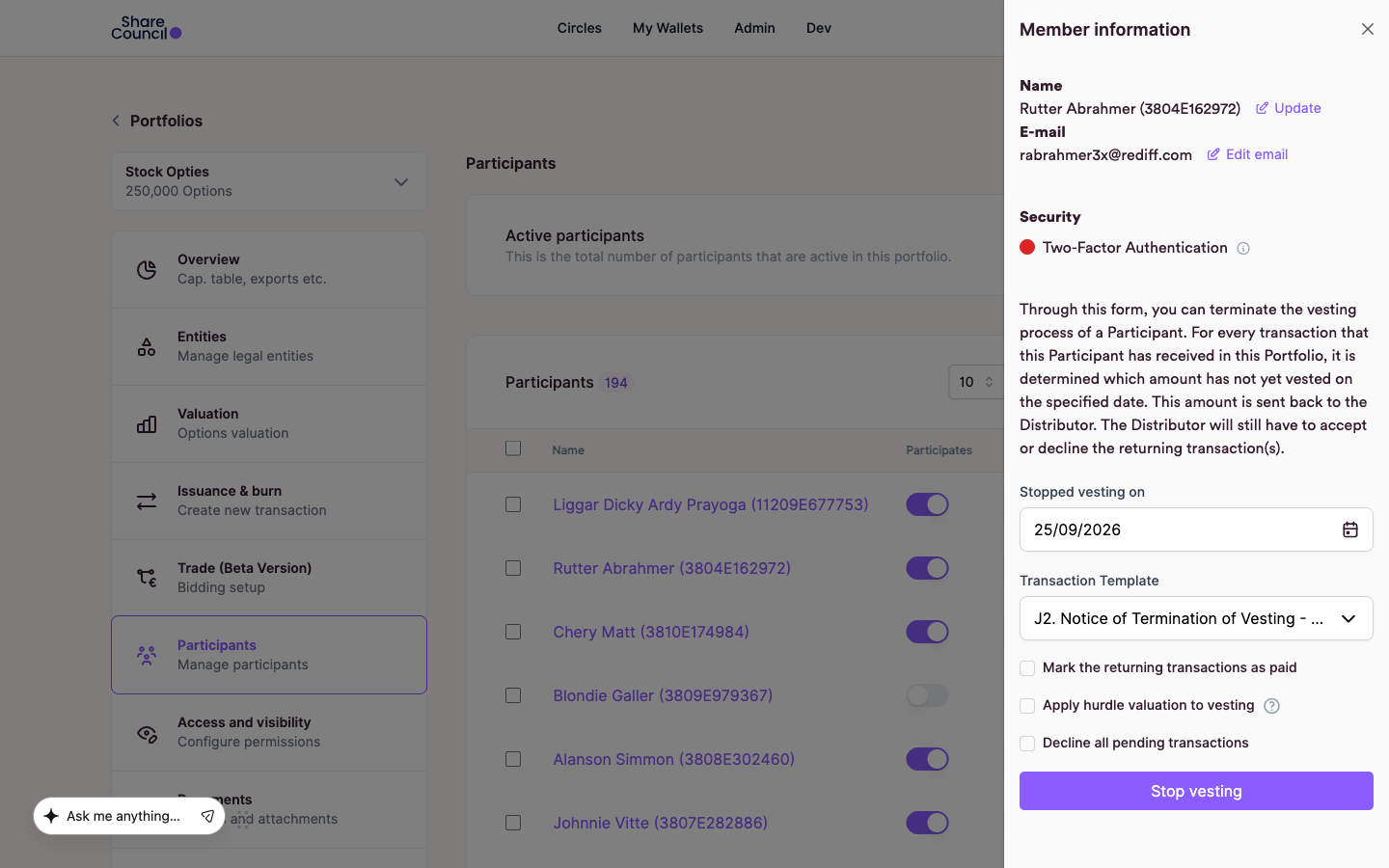
- In Stopped vesting on, enter the date vesting ends. The field starts on today's date.
- In Transaction Template, choose the document for the return. The list shows the portfolio's return templates, or its transfer templates if it has no return template.
- Tick Mark the returning transactions as paid only if the participant has already been paid for the returned pieces outside the platform.
- Tick Apply hurdle valuation to vesting only if the grants carry a hurdle valuation that also governs vesting. If you leave the box as it is, each grant follows its own hurdle setting.
- Tick Decline all pending transactions if the participant has incoming transactions that are not yet completed and should not go ahead.
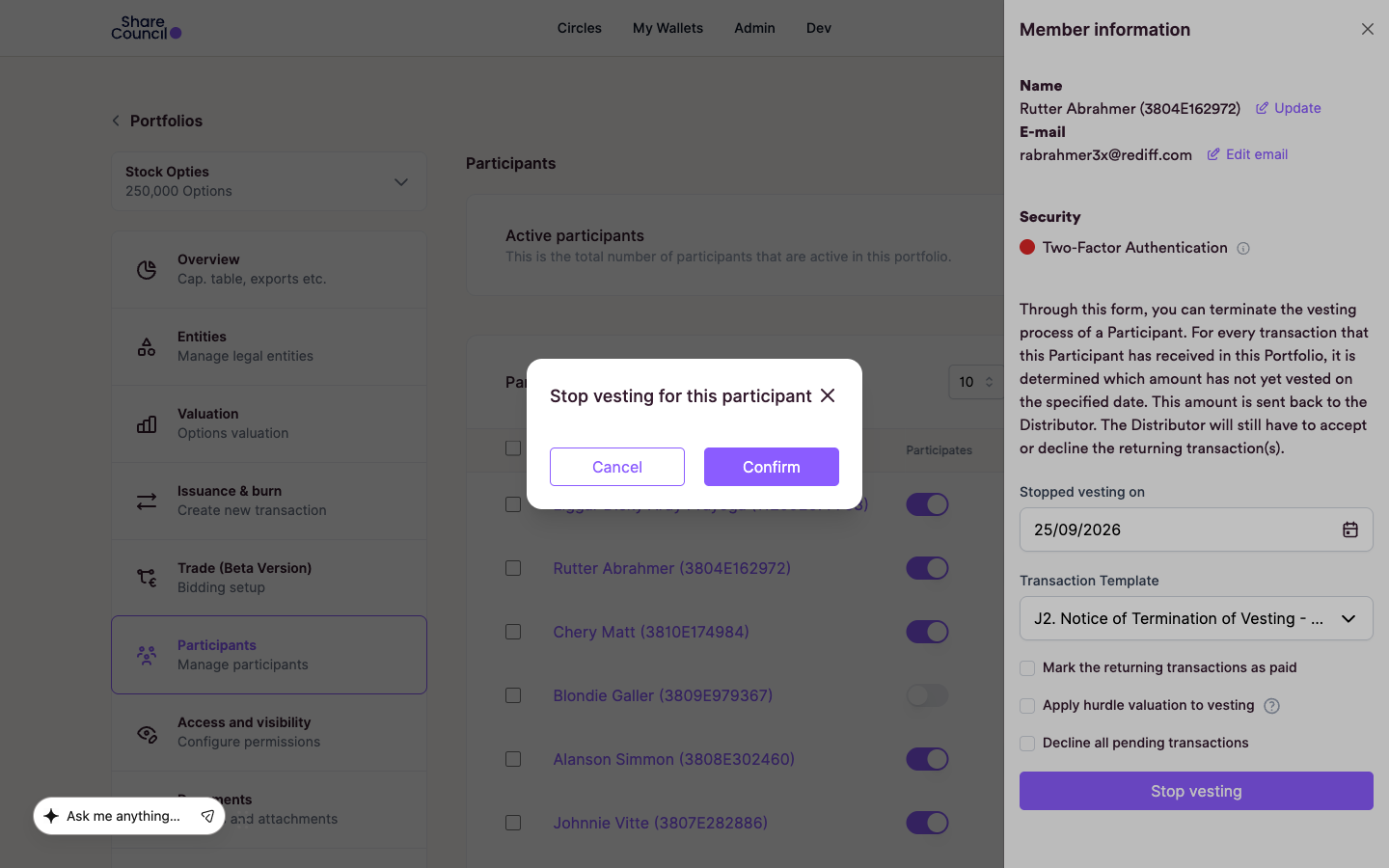
- Click Stop vesting. A window titled Stop vesting for this participant opens. Click confirm.
What happens next
Each grant that still had unvested pieces gets its own return transaction, from the participant to the distributor (the company or the STAK that issued the pieces). Share Council records the return as accepted and adds your signature if you are one of its signers. The participant does not have to sign. If the portfolio requires more signatures, those signers still have to sign. The document comes from the template you chose, such as a notice of termination of vesting.
Share Council does not send the participant a message that their vesting has stopped. Tell them yourself.
If the certificate numbers in the participant's wallet do not cover the pieces to return, nothing is returned and the form shows an error. Send support the numbers from that message.
Frequently asked questions
Does the participant lose the pieces that already vested?
No. Only pieces that had not vested on the date you entered go back. One exception: if a grant's hurdle applies to vesting and the latest company valuation is below that hurdle, the whole grant goes back. Any sell-back of vested pieces is set by your participation plan.
Can I stop vesting on one grant only?
Yes. On the portfolio dashboard, click the completed grant in All transactions. The Transaction Overview panel shows Stop the vesting of this transaction, with Date the vesting stops/stopped, Unvested pieces and Total return price. The preview updates when you change the date.
At what price do the unvested pieces go back?
At the price per piece of the original grant. The single-grant form shows it in Price paid for returning unvested pieces, and Total return price multiplies it by Unvested pieces. If you change the price, the return is still booked at the original price.
Can I undo a stopped vesting?
Only while the return is not completed. Declining a pending return transaction hands the pieces back to the participant and restarts vesting on that grant. A completed return stays in the register.
This article describes common practice and what the platform supports. It is not legal advice. What applies to your company is set by its articles of association, the conditions of administration and your participation plan.
Related articles
- How do I add vesting to a transaction?
- How does vesting work?
- What happens when an employee who has become a co-owner leaves the company?
Last updated: 24 September 2026.