![Share-council-wit.svg]](https://sharecouncil.co/hubfs/Website/Share-council-wit.svg)
To offer your units back to the company, open My Wallets, choose the portfolio and click New transaction. Select the distributor (the company or STAK that issued your units) as Recipient, enter the number of units, click Create Transaction and then sign the deed. The units stay reserved until the distributor accepts. You can only do this if the portfolio's administrator has switched offering back on.
Before you start
- Who can do this: a participant who holds units in the portfolio, or who represents the entity that holds them.
- Plan or add-on: none.
- Where: My Wallets > the portfolio > New transaction.
- You need: permission in this portfolio. An administrator switches it on under Portfolio settings > Access and visibility; the switch names your instrument, for example Participants may offer Depositary Receipts to the distributor (e.g. company). Whether you may, or must, offer units back is set by your participation plan or the conditions of administration.
Steps
- In the top menu, click My Wallets.
- Open the wallet of the portfolio you want to offer units from.
- Click New transaction. The new transaction form opens in a sidebar, with you as Sender.
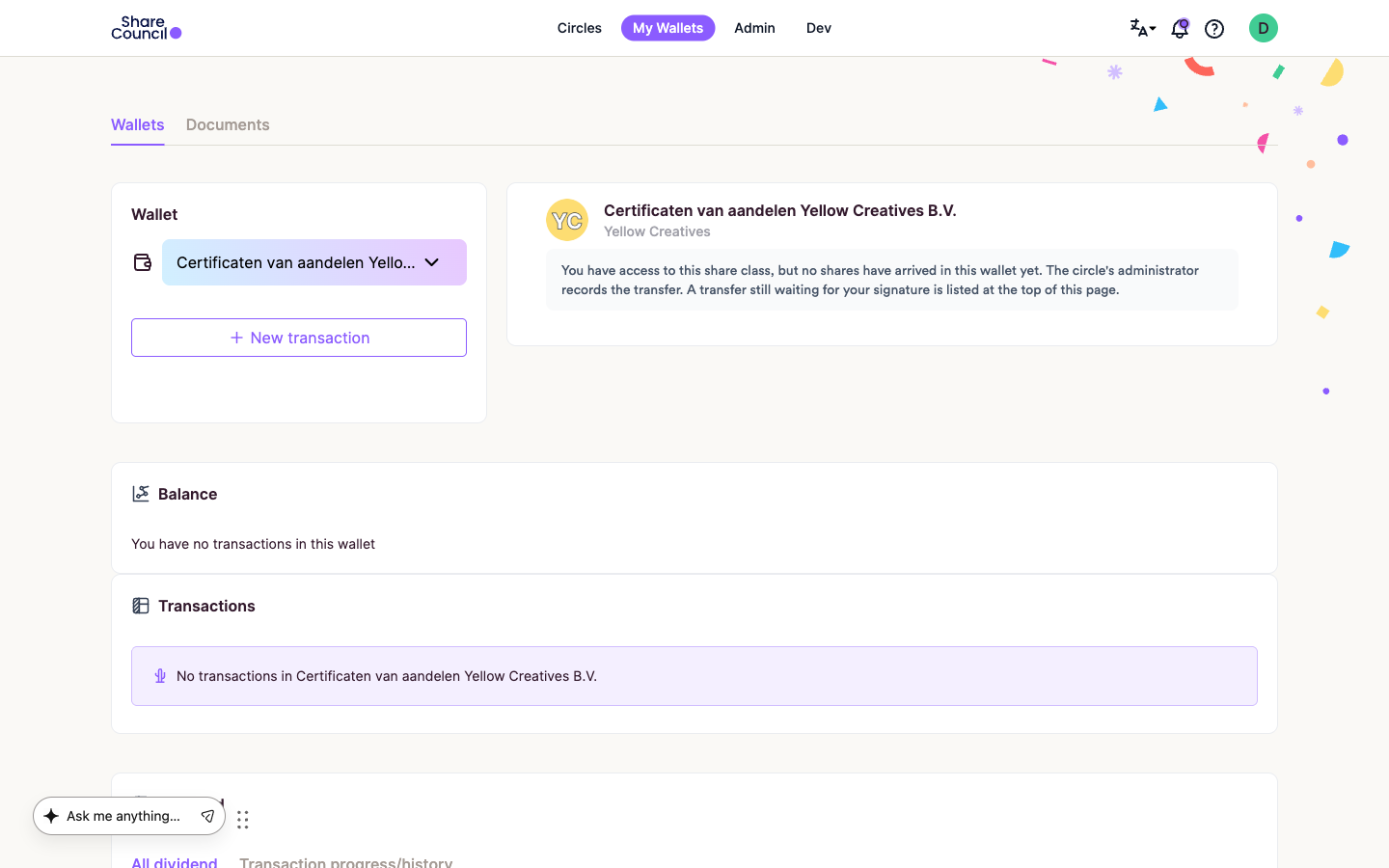
- Under Recipient, select the distributor. If the distributor is not in the list, offering back is switched off for this portfolio.
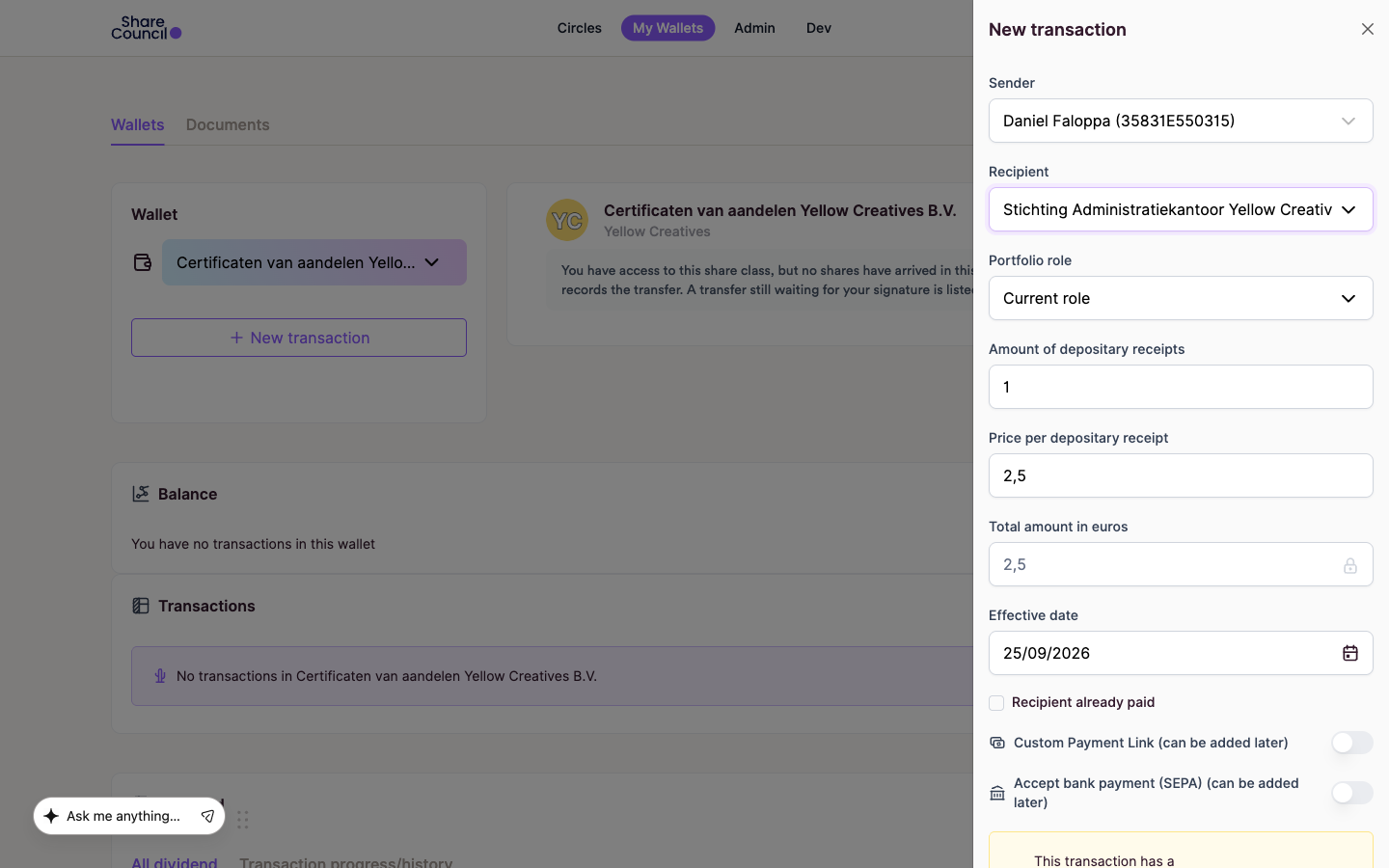
- Enter the number of units in the amount field. Its label names your instrument, for example "Amount of Depositary Receipts".
- Check the price per unit and the effective date. The price is filled in with the portfolio's current price, and you can change it only if the portfolio allows that. You can add a comment for the distributor.
- If the distributor has to pay you, switch on Accept bank payment (SEPA) to use your IBAN, or Custom Payment Link to add a payment link.
- Click Create Transaction. The transaction now waits for your signature, and you receive an email saying so.
- In the wallet, find the transaction under Transactions. Click the pen icon on its row ("Sign this transaction"), then Sign.
What happens next
Once you have signed, the distributor's administrators get an email. If there is a price, they are asked to pay first; otherwise they are asked to accept. The units you offered stay reserved while the transaction is open.
If there is a price, the distributor pays you. Once the money has arrived, open the transaction, tick the confirmation box and click Mark as paid. Once the distributor accepts, the units move back to the distributor and each party receives the signed deed with the "Transaction Completed" email. You can follow the status in the wallet under Transactions.
Frequently asked questions
I don't see the distributor as a recipient. Why?
The portfolio does not allow participants to offer units back. If there is no New transaction button at all, the portfolio allows neither offering back nor transfers between participants. Ask your circle administrator; they decide based on your participation plan or the conditions of administration.
What if the distributor declines?
The transaction ends and the units return to your wallet. You do not get a separate email, so check the status in the wallet under Transactions. Ask your circle administrator why it was declined.
Is this the same as declining a transaction sent to me?
No. Declining refuses units someone is sending you. Offering back returns units you already hold. To decline, see How can I accept/deny a transaction?.
This article describes common practice and what the platform supports. It is not legal advice. What applies to your company is set by its articles of association, the conditions of administration and your participation plan.
Related articles
- How can I accept/deny a transaction?
- Sell-back guide for certificates or EORs (leaving the company)
- How do I return a participant's units to the issuer?
Last updated: 24 September 2026.