A discount for the clients you bring
Clients who come through your firm get a discount on their first year.


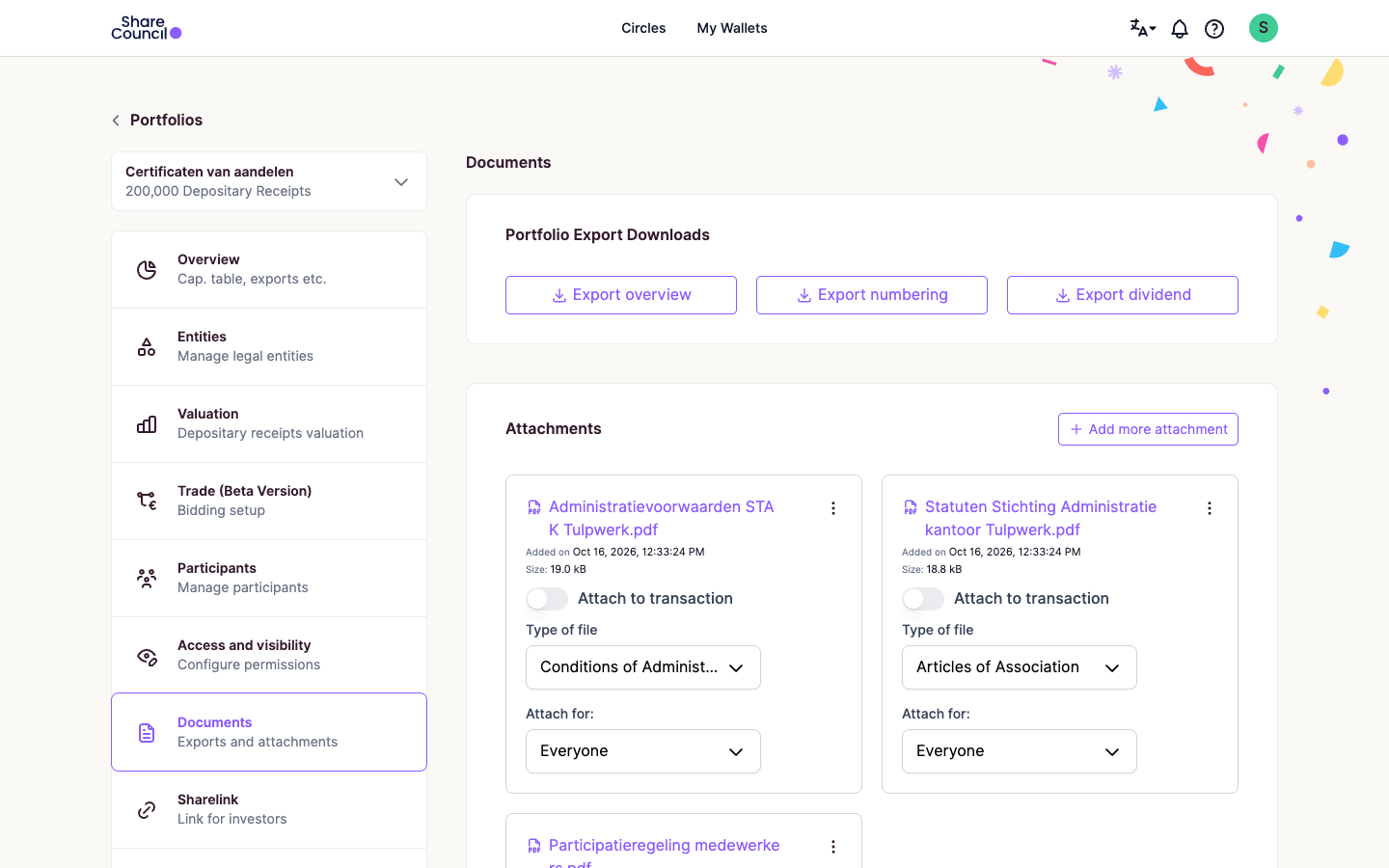
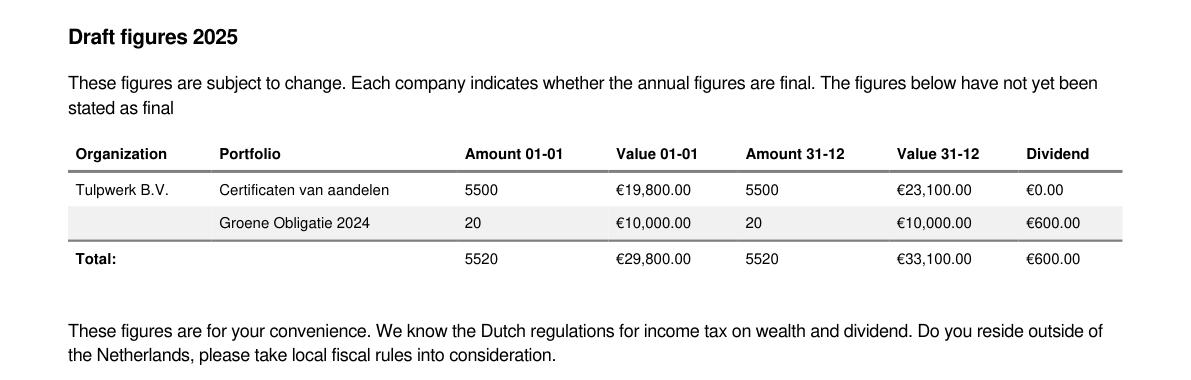
Every holding, price and vested option carries its date. Annual reports value each holding on 1 January and 31 December, and vesting downloads to Excel as of any date.
In Belgium, accountants entered 69% of the 102,802 electronic share registers by the end of 2023 (Forum for the Future).
69%
entered by accountantsof Belgium's 102,802 electronic share registers, end of 2023
Source: Forum for the Future
10
instrument typesfrom shares and certificates to options and bonds
Share Council internal data
2languages
for generated contractsDutch or English, signed in the platform
Share Council internal data
Your client has a STAK, the foundation that issues certificates to staff, or has granted options, and tracks them in a spreadsheet.
Your client finds the company by its KVK (Dutch Chamber of Commerce) number and types in the share register. A client without a structure can start with employee participation for SMEs.
Viewer is the read-only role: you see every member's holdings and contact details and change nothing. You log in with two-factor authentication.
Each issuance, transfer and price gets its date and the notary's deed or the valuation report behind it.
You check holders, transactions and the documents behind them, and send corrections to your client.
Export overview and the vesting report as of 31 December go into your working papers.
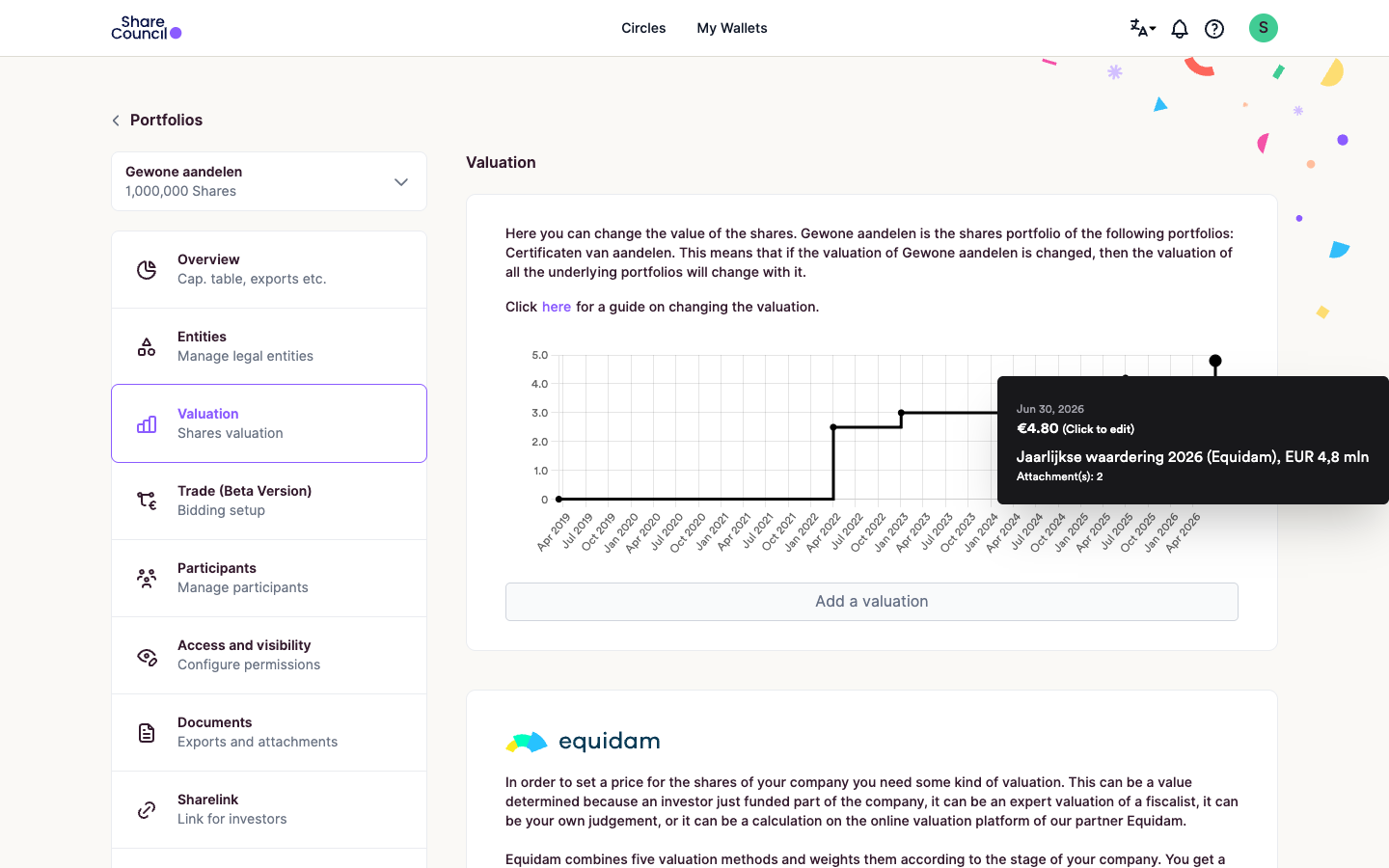
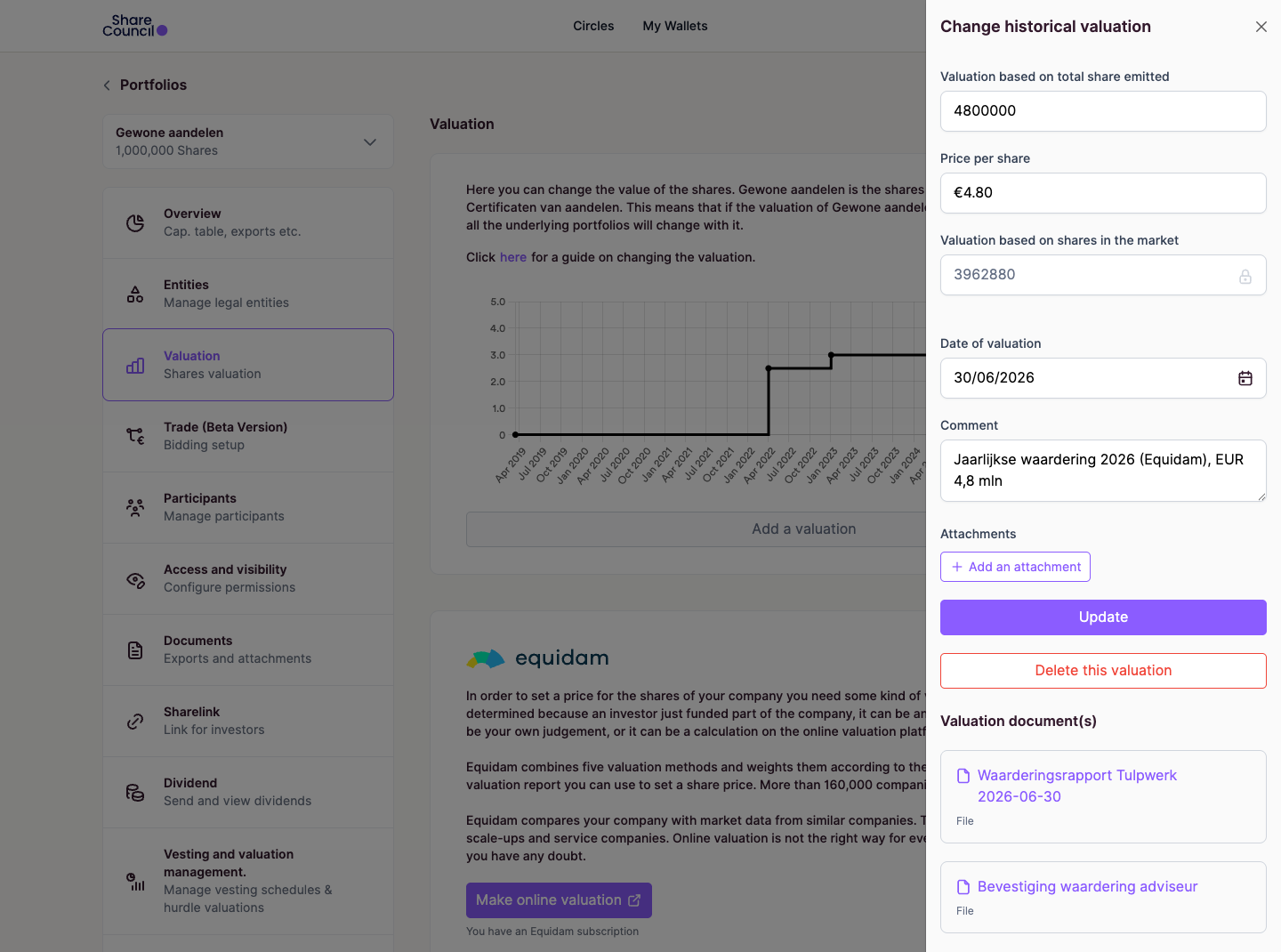
Tulpwerk is our demo company. The numbers are made up, the screens are real. Its six prices since 2019 run from €0.01 at founding to €4.80 on 30 June 2026, which carries the valuation report and the adviser's confirmation.
Edits overwrite the old figure without a log, so ask clients to add a new valuation.
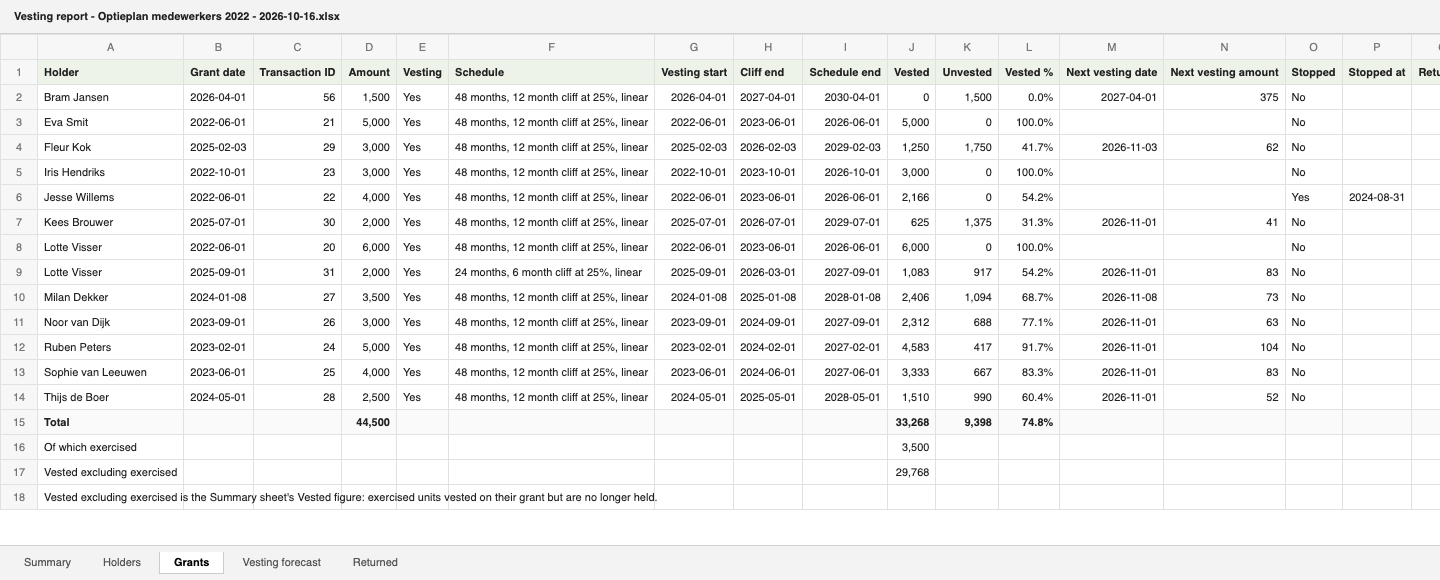
On 16 October 2026, Tulpwerk's 60,000-option plan shows 29,768 vested and 9,398 unvested. Jesse left in August 2024, so 1,834 of his options went back to the plan.
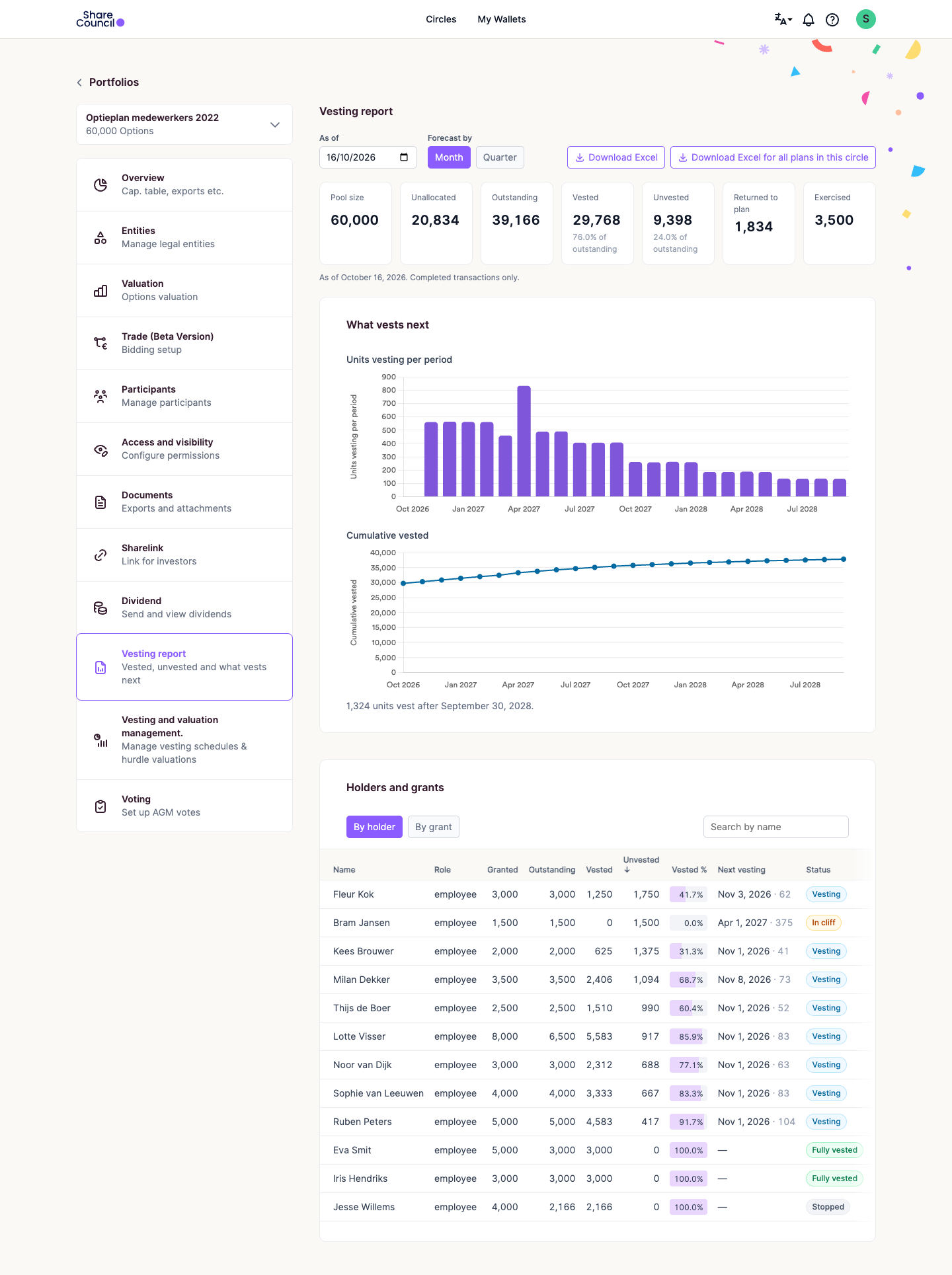
The register exports sit in the Documents tab. The vesting report is an Excel workbook per option plan, with sheets for the summary, grants, holders, upcoming vesting and leavers.
Five parts exist in the product today, and the sixth is new.
The register in Excel Exists
Export overview and Export numbering.
No retypingfrom the client's own record
Valuation history with the reports Exists
The price that appliedwith its report
Annual reports per holder Exists
1 January and 31 Decemberfor every holder
Vesting report as of any date, in Excel Exists
No grant lettersto work through
Signed deeds on their transactions Exists
Evidence next to the figurefor your working papers
One download per client as of 31 December New
Holders, price, vested options and deeds on 31 December in one file.
One file per clientinstead of five downloads
Your client pays for their own plan (see pricing).
Create an accountClients who come through your firm get a discount on their first year.
Our team checks the setup with you against the client's documents.
Your firm appears next to our valuation, legal and tax partners on our partners page.
To join as a partner firm, get in touch.
Ask your first client to invite you before their year end. If the register, prices or vesting don't match your client's documents, we fix the setup at no charge.
Share Council is not the right fit if
We do valuations with our partner Equidam.
Treat them like any other client record you check. Every movement shows its date and the deed, contract or valuation report behind it, and we don't audit the entries.
Your client invites you as a Viewer, the read-only role. A Viewer sees every member's holdings and contact details, every transaction and the documents, and changes nothing. The full list is in user roles and permissions.
A share register works for free. Certificates, options and add-ons such as valuations with our partner Equidam need a paid plan (see pricing). For setup help, your client can book an expert hour.
Clients who come through your firm get a discount on their first year, and we review your first client account for free. To set this up, get in touch.
Your client does. The owner and administrators decide who is in the account and which role each person has.
Yes. Deeds that need a notary still come from the notary, and your client attaches the signed deed to the transaction.
Ask one client with certificates or options to sign up and invite you before their year end.
Your client can look around for free.