![Share-council-wit.svg]](https://sharecouncil.co/hubfs/Website/Share-council-wit.svg)
To have the platform generate the ownership overview, follow these steps:
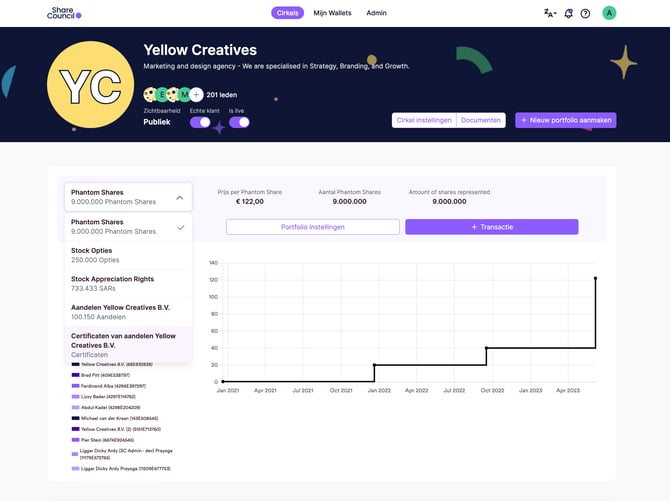
1. Select the relevant portfolio from the dropdown menu in the top left.
2. Click on Portfolio settings
3. Navigate to the Documents section.
4. Click on "Export Overview" or "Export Numbering"
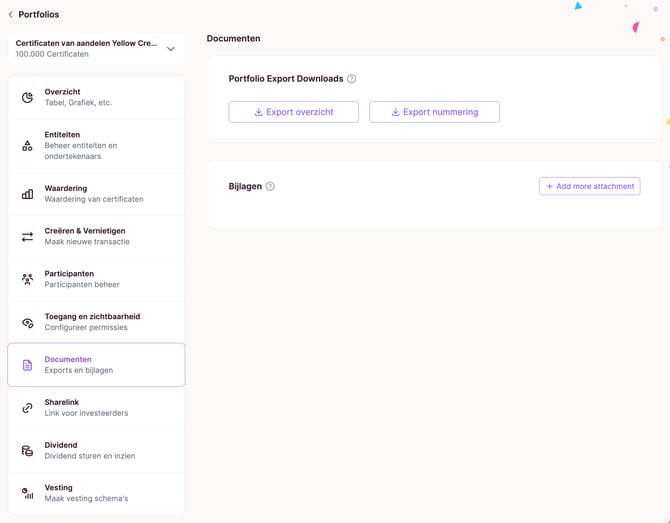
5. The file will then be automatically sent to your email address
🎥 A video tutorial for this feature is available here: Export overview